How to Write a Professional Email: 9 Habits That Get You Replies
Every day, thousands of work emails never get answered. In most cases, the problem is not the topic — it is the message itself. A vague subject line, a rambling paragraph, or a question hidden at the very bottom quietly pushes your email to the bottom of someone's to-do list. The fix is simpler than you might think. You do not need a business-writing degree — just a few repeatable habits that make every message easier to read and faster to answer.
Why Email Skills Still Matter
Even with messaging apps and video calls, email remains the backbone of most workplaces. It is how approvals get documented, decisions get recorded, and questions get answered in writing. A single well-written note can save three follow-up messages, while one careless reply can start an awkward chain. Emails are also permanent: they can be printed, forwarded, or quoted months later, so the tone you use today becomes the impression you leave tomorrow. Before you write anything, also ask whether email is even the right tool. When a two-minute phone call would settle the matter, a long chain of messages can stretch it across a full week. Think of each message as a small piece of your professional reputation: the reader may not remember every detail, but they will remember whether you were clear, courteous, and easy to work with.
Start With a Subject Line That Means Something
The subject line is the first thing your reader sees — and often the only thing they read before deciding whether to open the message at all. A strong subject line is compact and exact: it names the topic in a handful of words. Compare a vague 'Quick question' with 'Question about the June report deadline'. The second version tells the reader what you need and how to file the reply. When you apply for a job, it is a widespread convention to put the role and your own name right in the line, for example 'Application: Marketing Manager — Ana Rodriguez'. That small habit lets a busy recruiter find your message again in seconds. Aim for a subject line short enough to be read on a phone screen without tapping into the message.
Open With a Greeting That Fits
The opening line sets the tone for everything that follows. When you write to someone you have never met — a hiring manager, a client, an official — the safe choice is a formal greeting such as 'Dear Mr. Chen' or 'Dear Ms. Okafor'. For colleagues and people you know, 'Hello' or 'Hi [First Name]' is perfectly professional. When you are unsure, pick the more formal option; it is easier to loosen up later than to un-send a tone that feels too familiar. What most workplaces prefer you avoid is 'Hey' when you are writing to a stranger, or no greeting at all — a message that starts cold can feel abrupt even when the content is friendly.
Build a Body That Respects the Reader's Time
Get to the point within the first sentence or two. Busy readers scan before they read, so lead with your purpose and add background only when it genuinely helps. One email, one main topic is a practical habit: mixing a request, a complaint, and a favor in a single note guarantees that at least one of them gets missed. Keep sentences short and paragraphs tight, because a solid wall of text is the fastest way to lose a reader. When you have several related points, a short bulleted list is easier to digest than a long paragraph. And if your message needs an answer, make the question impossible to miss — nothing buries a request faster than tucking it into the fourth line of a long paragraph. If a reply would require background the reader does not have, add one short sentence of context instead of a long history; people appreciate exactly the detail they need and nothing more.
Close With a Clear Ask and a Clean Sign-off
A professional email ends by telling the reader what happens next. If you need a decision, a date, or a document, name it plainly: 'Please let me know by Friday whether you approve the new schedule.' If no action is needed, a simple 'Let me know if you have questions' closes the loop politely. Then sign off with a standard line — 'Best regards', 'Sincerely', 'Thank you', or 'Kind regards' — followed by a signature block with your full name, your role, and a phone number or other way to reach you. A complete signature saves the reader the extra step of hunting down your details.
Attachments, Reply Speed, and Proofreading
Before you click send, spend one minute on the details. Check that the attachment you mention is actually attached — the famous 'forgot to attach' follow-up is one of the most avoidable office emails there is. Use a file name the recipient can understand, such as 'June-Report-Summary.pdf', instead of 'final_v3_REAL.docx'. On reply speed, most workplaces expect an answer within about one business day; when you cannot respond fully yet, a short note like 'Received — I will reply on Wednesday' keeps things moving and shows you are on top of it. Finally, proofread. Emails are permanent, so a misspelled name or a muddled sentence travels a long way. Read the message once more, check the names, and confirm the recipient list before you send.
Six Mistakes to Stop Making Today
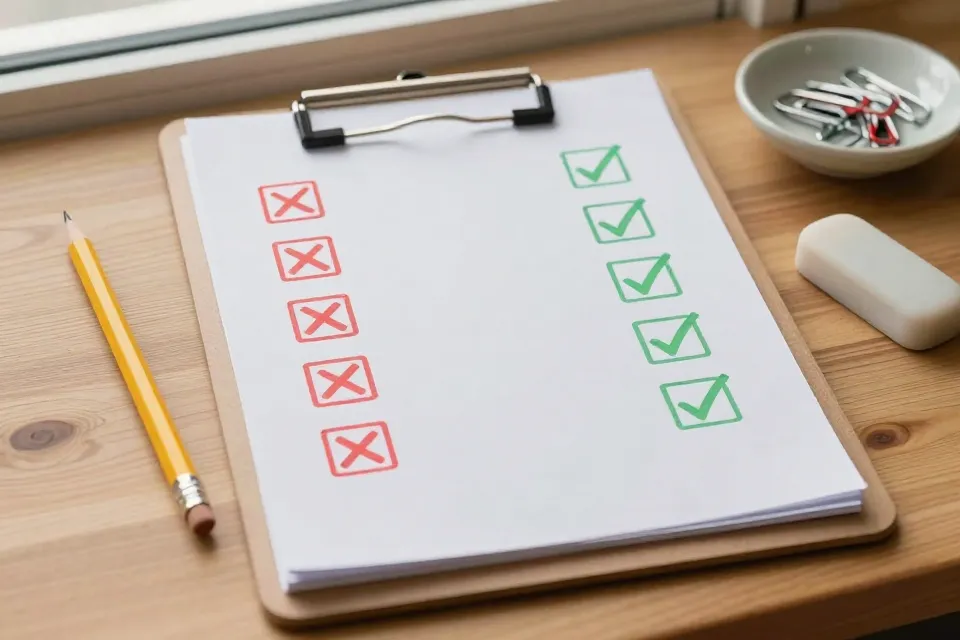
The fastest way to look more professional is to break a handful of small habits. This table pairs the most common missteps with a better routine.
| The mistake | Why it hurts | Better habit |
|---|---|---|
| Vague subject line, like 'Quick question' | The reader cannot tell what you need or how urgent it is | Name the topic in the subject line |
| Burying the request at the end | Busy readers answer the first thing and miss the rest | State the ask early, then add context |
| ALL-CAPS or extra exclamation marks | It reads as shouting, even when you are excited | Use normal capitalization and few or no exclamation marks |
| Emojis and slang with strangers | Undermines the professional tone | Keep it plain until the other person sets a casual tone |
| Hitting reply-all by reflex | Loads the whole team's inbox with noise | Reply only to the people who truly need to know |
| Typos and wrong names | Looks careless — and the email lives on | Read it once, check the names, then send |
A Sample Email You Can Adapt
Here is a complete working example you can adjust for almost any request. Notice how the subject line names the topic, the first sentence states the purpose, and the ask appears early.
Subject: Request: Approval for Friday schedule change
Dear Ms. Rivera,
I am writing to request approval for a schedule change this week. I need to leave at 2 p.m. on Friday for a family appointment, and I will finish my assigned tasks by noon that day.
Could you confirm by Thursday whether this works? I am happy to move Friday's meetings to the morning or to Monday.
Thank you for your time.
Best regards, Marcus Lee Customer Support Associate (555) 010-2234
The 60-Second Pre-Send Checklist
Run through this list before sending anything important. It takes about a minute and catches nearly every mistake that leads to awkward follow-ups.
- Subject line states the topic in a few words
- Greeting matches how well you know the reader
- The main point appears in the first sentence or two
- The request or next step is easy to spot
- Paragraphs are short, and bullet points break up long lists
- Attachments are attached and clearly named
- Names and spelling are double-checked
- The recipient list is correct — no stray reply-alls
None of these habits takes special talent. They simply take an extra minute per message. Start with your next email: write a sharper subject line, state the ask early, proofread once. Small changes compound, and before long, professional writing will feel like second nature.
Want to test more career skills while you prepare? Browse the quiz library for quick practice.
Content on KnowHow Bench is for general information only. See our Disclaimer for details.